
v0.9.0
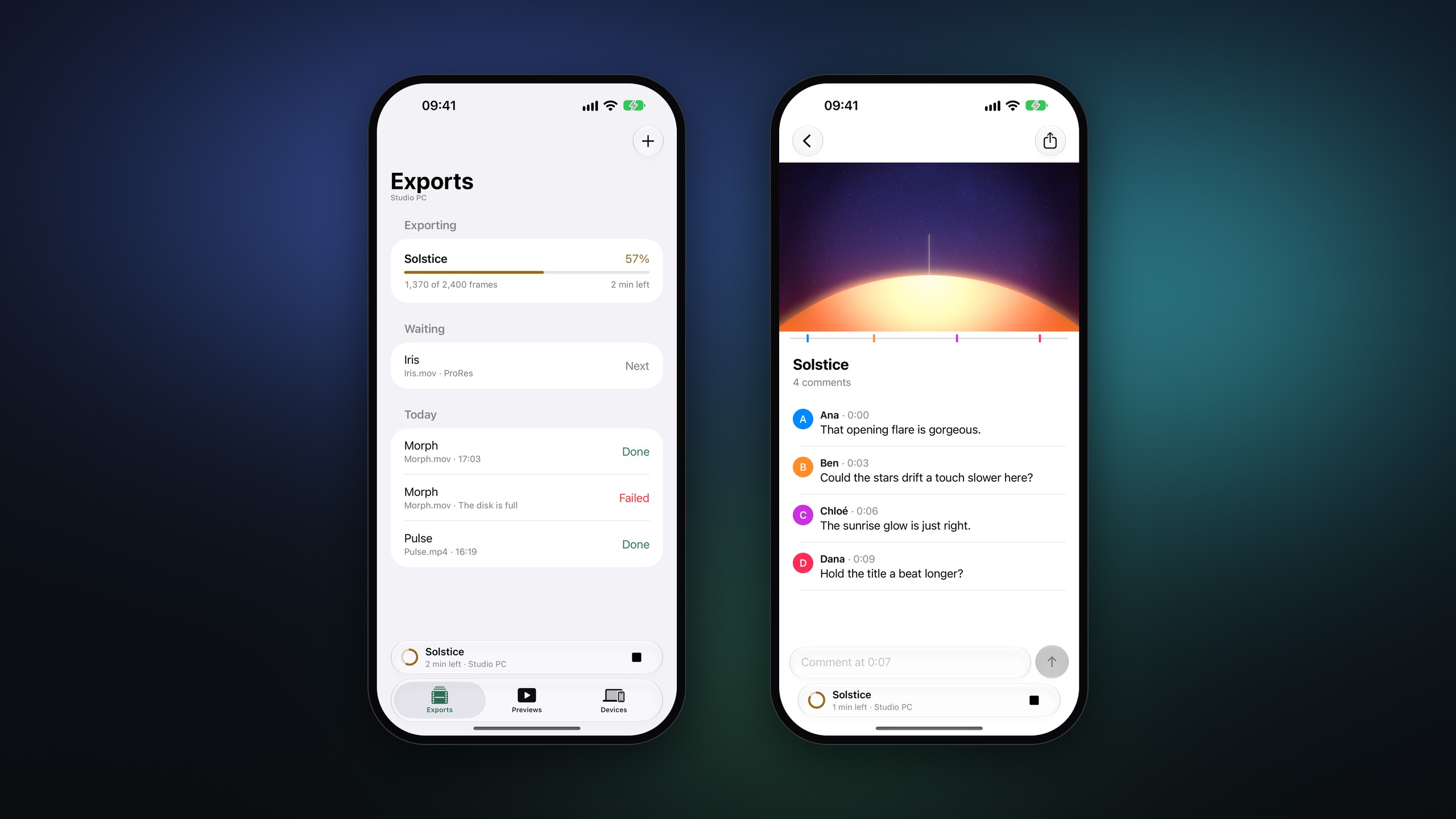
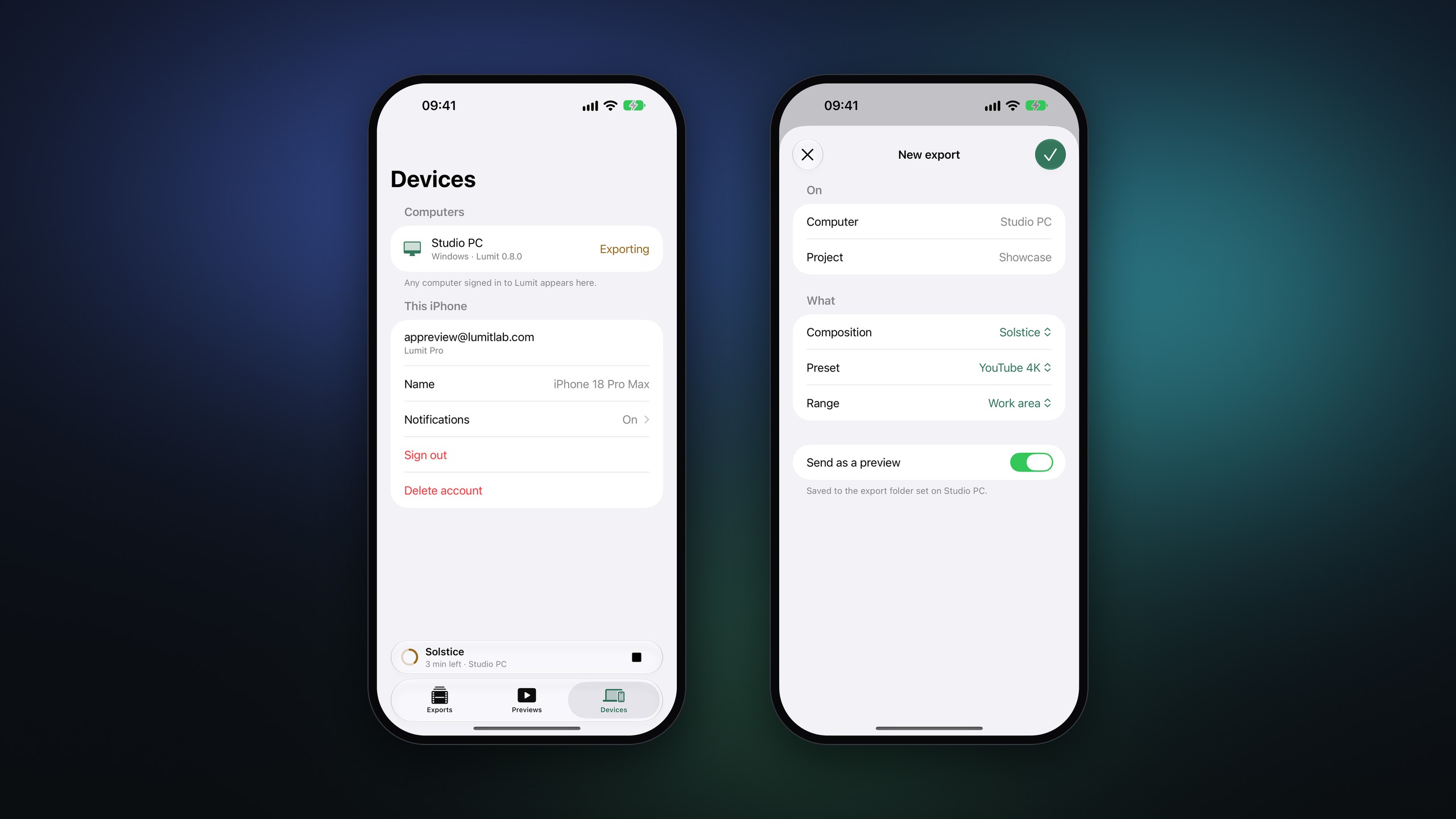
Lumit for iPhone is now open to everyone on TestFlight. It pairs with Lumit on your computer, so you can start, stop, and follow exports from your phone. Lumit also can now run JavaScript and After Effects scripts, be driven over cli or MCP, export ProRes, and retimed clips finally have sound.
A few of the fixes change how existing projects look, mainly 3D layers and Depth of field pro, so have a read of Before you update first.
What is new
Lumit for iPhone
- Lumit for iPhone is in public testing on TestFlight, and anyone can install it.
- Pair it from Settings ▸ Account ▸ Devices ▸ Add a phone by scanning the code with your phone.
- Starting and stopping exports, and following their progress from your phone, needs Lumit Pro.
- Keep running in the background in Settings ▸ General leaves Lumit in the tray when the window is closed, so your phone can still see the computer. Open Lumit when you sign in starts it there when the computer starts.

Scripting
- Lumit runs JavaScript and After Effects scripts (.js and .jsx) on the open project.
- File ▸ Scripts lists the scripts in your Scripts folder, and dropping a script on the window runs it after asking. Anything the script prints when running is under Show log.
- After Effects scripts can use ScriptUI, eases, expressions, and the comp open in the Viewer.
- Settings ▸ General ▸ Scripts can run a script when an export finishes, a project opens, or a project is saved.
lumit-cliexports projects from the command line, with a saved export preset and a frame range.- Lumit can be driven over MCP, either a project file through
lumit-cli mcpor the open app, this is off by default in settings. - Extensions can ask for an Edit permission to change the project, and can carry their own shader effects with their own rows.
Everything else
- ProRes export, with 422 Proxy, LT, 422, HQ, 4444, and 4444 XQ.
- The export queue has an Add compositions window for queuing several comps at once, each with its own preset. A waiting item’s settings can be opened and changed before it starts.
- Holding Shift while dragging either end of a layer in the Timeline stretches it instead of trimming. Shift on a clip’s edge does the same in the Audio and Cut workspaces, and linked clips stretch with it.
- Retimed layers and clips now play their sound at the new speed. Keep pitch on the right-click menu decides whether the pitch holds or alters with the speed.
- Settings ▸ Audio ▸ Output has an Audio offset row.
- Particulate has Collide with, a layer whose shapes and masks the particles hit, with Bounce, Slide, Stick, or Kill.
- Cut can keep a video’s sound on its picture clip with Settings ▸ Timeline ▸ Video sound in Cut, and has Detach audio and Attach audio for J and L cuts. Picture clips show their sound along the bottom, and tracks can go in any order.
- Stand-ins in a shared project can be made at half or quarter size, and with half or a quarter of the frames.
- Extensions can start a shared project and invite people, after asking you first.
- The Audio workspace has been tidied up, mainly the Mixer strips and the Audio panel.
- The link between paired values, such as Scale, is bigger and takes the accent colour when on.
- The effects search can find effects by their After Effects names.
- Timeline snapping reaches a bit further.
- Lumit waits for plugins to fully load on a new splashscreen before the window opens, this may feel slower if you have many plugins, but is required to properly load them, which we didn’t account for before now.
Fixed
- With no camera in the comp, a 3D layer moved off z 0 disappeared, and one tilted on X or Y was cut down to a thin line.
- A 2D layer that still held 3D values from before could vanish or draw tilted.
- 3D rotation from After Effects projects came in wrong when both X and Y were turned.
- Sapphire S_Shake from After Effects projects spun and mirrored the whole frame. Effects from other makers now come in as their own plugin when it’s installed, rather than as the nearest Lumit effect.
- Frames drawn before a plugin had finished loading stayed blank until something changed.
- A project opened at launch could show its plugins as missing.
- Moving the parent of an adjustment layer didn’t move the area it graded.
- A plain solid lit by a light looked smeared.
- In Rhai, reading a property from a trimmed layer gave a different number to JavaScript.
- Shape points stayed on screen in the Viewer after letting go of a layer, and Ctrl did nothing with the selection box.
- New layers sometimes started with a grey label instead of their usual colour.
- Clicking a shared preview’s link only copied it the first time.
- The first letters of a share password showed for a moment before being hidden.
- Saving on Windows could occasionally say the project was open in another Lumit.
- A nightly build could update itself to the stable release and lose features.
- Updating in place on a Mac from a version before 0.8.0 could leave Lumit showing as damaged. Those versions now download the disk image instead.
Before you update
- Depth of field pro now blurs right up to the frame’s edge. Before, the edge was smeared into a strip.
- 3D layers under a depth of field camera now have their outlines blurred too. A plain solid used to stay as sharp as with depth of field off.
- Retimed layers and clips now play sound, where before they were silent.
- 3D layers in comps with no camera that used to vanish or show as a thin line now draw.
- 2D layers that kept a z value or 3D rotation now draw flat.
- An adjustment layer with a parent now grades where the parent puts it.
- Plain solids lit by a light are now lit at their real size.
- A Rhai expression that reads a property from a trimmed layer may give a different value.
Downloads
Windows, macOS, and Linux builds are on Lumit Downloads and GitHub releases.